Best Real Estate CRMs for Solo Agents (2026 Comparison)
2026 CRM Comparison Guide for Realtors
Let’s be honest: as a solo real estate agent, your CRM isn’t just a digital address book. It’s your business partner, your second brain, and the only thing standing between you and a pipeline full of missed opportunities. But the market is flooded with options, most of them built for massive teams with budgets to match.
So, which CRM is actually the right fit for a solo agent in 2026? It’s not the one with the most features. It’s the one you’ll actually use.
After reviewing dozens of platforms and talking to agents on the ground, I’ve narrowed it down to the only options that matter for solo agents. Here’s the no-fluff breakdown.
The Only 4 CRMs You Should Be Considering
Forget the endless lists. For 99% of solo agents, the right choice is one of these four, each for a very different reason. Make it stand out. Whatever it is, the way you tell your story online can make all the difference.
Top 4 CRM’s for Real Estate Agents - Starting Price + The Bottom Line
1. Follow Up Boss: The Best Overall for Solo Agents
You should choose Follow Up Boss if: Your business relies on converting inbound leads from multiple sources (Zillow, your website, social media) and you know that speed-to-lead is everything.
Follow Up Boss is the undisputed king of lead management and disciplined follow-up. It’s less of a CRM and more of a command center. It pulls in leads from over 250 sources, tells you exactly who to call next with its Smart Lists, and keeps every text, call, and email in a clean, chronological timeline for each contact.
It’s not the cheapest, and it doesn’t come with a website. But if you’re serious about turning your leads into closings, the investment pays for itself. The “Grow” plan is the perfect starting point for a solo agent.
Pro: Unbeatable lead aggregation and speed-to-lead tools.
Con: The built-in dialer is an extra $39/month on the solo plan.
Bottom Line: If you’re paying for leads, you can’t afford not to have a system this tight.
2. Wise Agent: The Best for Relationship-Based Businesses
You should choose Wise Agent if: Your business is built on your sphere of influence (SOI), past clients, and referrals. You need a system that helps you nurture relationships, not just chase new leads.
Wise Agent gets that for many agents, the money is in the long-term relationship, not the instant conversion. It’s packed with marketing tools designed for nurturing: monthly newsletters, landing pages, and robust transaction management checklists. It’s an all-in-one platform that feels like it was actually built by agents.
It may not feel as sleek or aggressive as Follow Up Boss for rapid-fire lead response, but its strength is in its consistency. It’s the steady, reliable engine for the agent who wins on trust, not just speed.
Pro: Excellent marketing and transaction management tools included at a great price.
Con: The interface can feel a bit dated compared to newer platforms.
Bottom Line: If your motto is “relationships over transactions,” Wise Agent speaks your language.
3. LionDesk: The Best Value for Communication Power
You should choose LionDesk if: You want to leverage text and video in your follow-up but don’t want to pay a premium for it. You value personal communication and need a tool that makes it easy and affordable.
LionDesk’s core strength is its communication suite. It was one of the first CRMs to integrate video messaging directly into its platform, and its bulk texting and drip campaigns are powerful for the price. It’s a workhorse CRM that gives you the tools to connect with your database in a more personal way.
It’s not as polished as the top-tier players, and its analytics are basic. But for a solo agent who wants to stand out by being more human in their follow-up, LionDesk offers incredible value.
Pro: Includes video email, bulk texting, and AI-powered lead follow-up at a very competitive price.
Con: The user experience isn’t as intuitive as Follow Up Boss or Wise Agent.
Bottom Line: The best bang-for-your-buck if your strategy is built on personal outreach.
4. HubSpot: The Best Free Starting Point
You should choose HubSpot if: Your budget is zero and you need to get your contacts out of a spreadsheet and into a real system today.
Let’s be clear: HubSpot is not a real estate CRM. But its free version is a powerful, clean, and reliable platform for basic contact and deal management. You can create a pipeline, track your deals, and log your activities. It’s a massive step up from having no system at all.
The downside is that you’ll spend time customizing it to make sense for real estate. You’ll have to manually create properties for “Listings” and “Closings,” and you won’t get any of the industry-specific automations that make paid CRMs so valuable. But as a starting line, it’s unbeatable.
Pro: It’s free, it’s easy to use, and it provides the fundamental structure every agent needs.
Con: Requires significant customization and lacks real estate-specific features.
Bottom Line: A smart, professional choice when you’re just starting out and need to build good habits without the monthly fee.
The Final Verdict
Your CRM is the engine of your business. Choosing the right one isn’t about finding the “best” one—it’s about finding the one that matches your business model, your budget, and your personality.
For the conversion-focused agent: Choose Follow Up Boss.
For the relationship-focused agent: Choose Wise Agent.
For the budget-conscious communicator: Choose LionDesk.
For the agent starting from scratch: Start with HubSpot.
Need help getting your CRM set up, your database cleaned, and your follow-up automated? That’s exactly what I do. Book a free consultation and let’s build a system that actually works for you.
Frequently Asked Questions
What is the best CRM for a solo real estate agent?
It depends on how you run your business. If you're converting inbound leads from Zillow, your website, or social media, Follow Up Boss is the strongest option for speed-to-lead and pipeline discipline. If your business runs on referrals and sphere of influence, Wise Agent is built for that relationship-first approach. There's no single "best" — there's the best fit for how you actually work.
How much should a solo agent spend on a CRM?
Most solo agents should budget between $25 and $75 per month. Wise Agent and LionDesk both come in around $40-$49/month and cover the essentials. Follow Up Boss starts at $58/month and is worth it if you're actively spending on lead generation. If your budget is truly zero, HubSpot's free tier gets you out of the spreadsheet and into a real system today.
Do I really need a CRM if I only close 10-15 deals a year?
Yes — arguably more than a high-volume agent. When every deal matters, you can't afford to let a lead slip through the cracks because you forgot to follow up. A CRM isn't about volume. It's about consistency. The agents closing 10-15 deals who use a CRM are the ones who grow to 20-25 without burning out.
Can I use HubSpot as a real estate CRM?
You can, but you'll need to customize it. HubSpot's free tier gives you contact management, deal pipelines, and activity logging — but none of it is real estate-specific out of the box. You'll manually create custom properties for things like listing addresses, closing dates, and transaction types. It works as a starting point, but most agents outgrow it within 6-12 months and move to a purpose-built platform.
What's the difference between a real estate CRM and a general CRM?
Real estate CRMs come pre-built with industry workflows: transaction management checklists, MLS integrations, drip campaigns timed to the buying cycle, and lead routing from sources like Zillow and Realtor.com. General CRMs like HubSpot or Salesforce require you to build all of that from scratch. For a solo agent, the time savings alone make a real estate-specific CRM worth the investment.
Should I pick a CRM based on features or price?
Neither — pick it based on fit. The most expensive CRM is the one you stop using after 60 days because it doesn't match how you work. If you're a relationship-driven agent, a lead-conversion machine like Follow Up Boss will feel overwhelming. If you're running paid ads and need speed, a nurture-focused tool like Wise Agent will feel too slow. Match the tool to your workflow first, then compare price within that category.
How long does it take to set up a real estate CRM?
Most solo agents can get up and running in 2-4 hours. That includes importing your contacts, setting up your pipeline stages, and creating your first drip campaign or follow-up sequence. Wise Agent and Follow Up Boss both offer onboarding support. The real investment isn't setup — it's the first 30 days of building the habit of actually using it every day.
Can I switch CRMs without losing my contacts?
Yes. Every CRM on this list supports CSV export and import, so your contact data is portable. The things you'll lose are your automation sequences, email templates, and activity history — which is why it's worth choosing carefully upfront. If you're switching, export everything, clean your data, and treat it as a fresh start rather than a copy-paste migration.
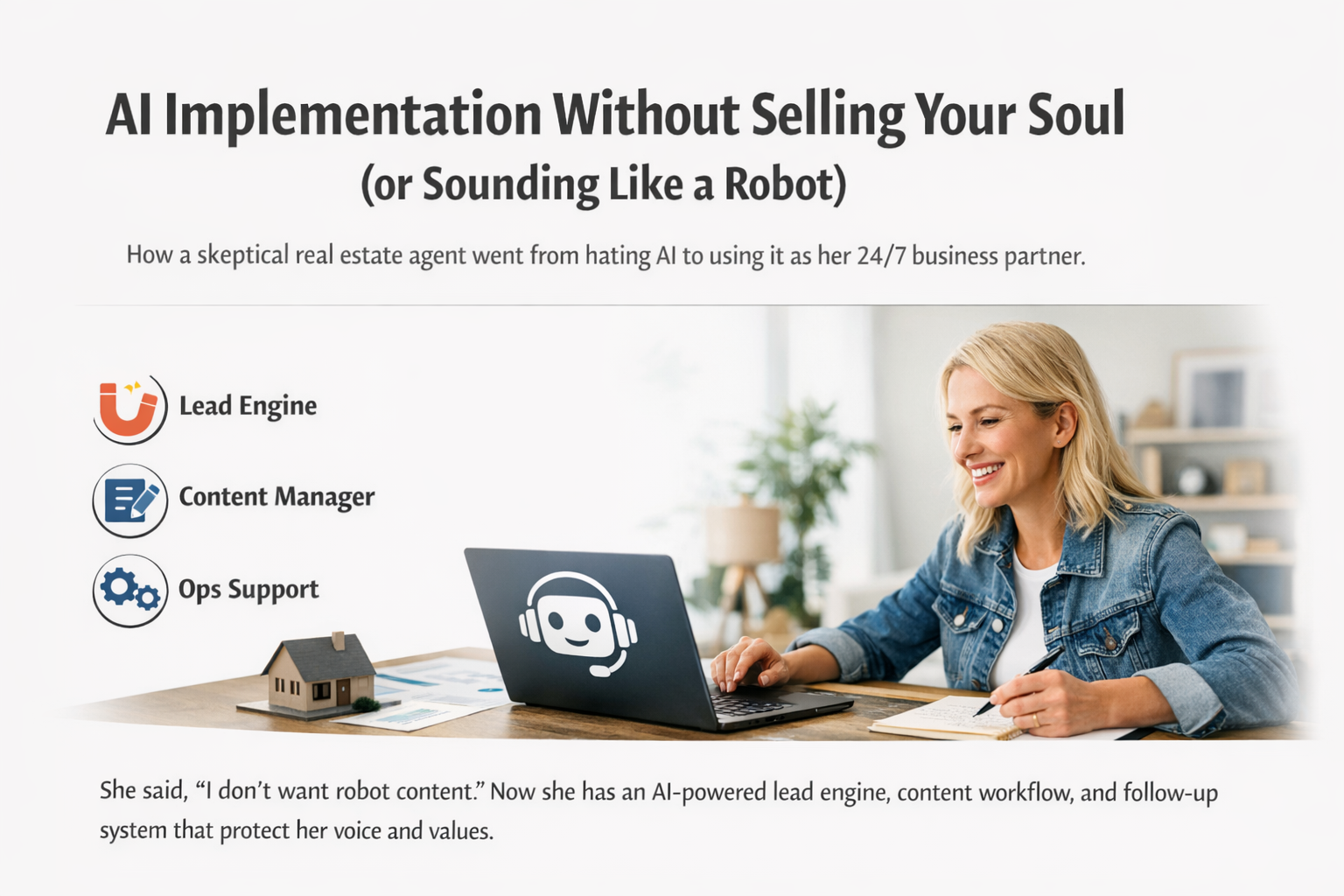
AI Implementation Without Selling Your Soul (or Sounding Like a Robot)
A solo real estate agent hated ChatGPT for reasons that were actually valid. She worried about ethics, authenticity, and sounding like a robot online. We didn’t argue with her or throw prompts at her. We set boundaries first, then installed a real system: voice lock, content workflow, lead capture, HubSpot follow up, GBP rhythm, and ops templates. The result was not “more content.” It was consistency, faster follow up, and a business that stopped starting from zero.
There’s a specific type of real estate agent I see all the time.
Smart. Busy. Good at what they do. Deeply relationship driven.
And completely allergic to anything that smells like generic marketing.
This agent did not just feel “meh” about AI. She hated it. Specifically ChatGPT. She thought it was wasteful. She worried it would turn her voice into bland copy. She did not want to become another cookie cutter realtor with captions that sound like a motivational poster.
Honestly? Fair.
But she also had a real business problem: she was constantly starting from zero.
So we didn’t teach her “how to use AI.”
We implemented it into her business like infrastructure.
Here’s exactly how.
The Client
Solo agent in North Carolina.
Busy schedule, great at serving clients, inconsistent marketing, scattered follow up, and a love hate relationship with content. When she posted, it worked. The issue was she could not do it consistently.
She also had strong objections to AI:
Environmental impact
Authenticity concerns
Fear of sounding robotic or salesy
“I don’t want to outsource my personality to a tool”
So we treated AI like a power tool, not a personality transplant.
The Problem
This was not a “she needs better captions” situation.
It was:
Not enough time
Too many decisions every day
Follow up living in her head
Content drought, then bursts of activity, then silence
Inconsistent visibility across Google and social
A constant feeling of being behind
She wasn’t failing.
She was overloaded.
And overload kills consistency.
The Objection (the part most people skip)
Most people try to overcome AI objections with a sales pitch.
We did not.
We validated them and built around them.
Her concern was simple:
“I don’t want robot content. I don’t want fake authenticity. And I don’t want to contribute to something I feel is unethical.”
So the first deliverable was not prompts.
It was boundaries.
The Approach
Step 1: We set boundaries first
Before we built a single workflow, we wrote down the rules:
AI supports, it does not impersonate.
Her stories stay hers.
No fake expertise, no made up local claims, no cringe persuasion language.
Short, intentional work sessions. No endless back and forth.
Every output must sound like her or it does not ship.
Once those boundaries were in place, her resistance dropped fast because she no longer felt like she was “selling out.”
Step 2: Then we built systems
Here is the truth: AI does not create results. Systems do.
AI becomes useful when it is attached to:
a clear voice
clear offers
clear lead flow
a repeatable weekly rhythm
So we built a machine that runs even when she is tired.
What We Implemented
This is what we installed into her business.
1) Voice Lock (so AI never sounds like a robot)
We built a “voice lock” with:
her tone and personality rules
her non negotiables
phrases to use often
phrases to never use
how she handles objections
how she talks to buyers and sellers in real life
Now AI had guardrails.
2) A prompt library that matched her actual business
Not “100 prompts for realtors.”
A functional library built around:
listings and open houses
buyer education
seller education
relocation
objections and follow up
past client reactivation
referral partner outreach
3) A weekly content workflow (one input becomes a full week of marketing)
We created a system where she gives one weekly input and gets:
short form video scripts
captions in her voice
Google Business Profile posts
one longer authority piece per month (blog or LinkedIn style)
plug and play calls to action
No daily reinvention.
4) Lead capture and follow up logic in HubSpot
This is where most agents lose money.
We set up:
lead categories (buyer, seller, relocation, open house, warm referral)
follow up templates for each category
sequencing logic so she always knows what to send next
Fast follow up, without sounding like an auto bot.
5) A Google Business Profile rhythm that compounds
We built a posting rhythm that supports visibility:
consistent posts
local content angles
clear CTAs
review request language that feels human
6) Ops templates to stop the mental load
AI is not just for marketing. It is for capacity.
We implemented:
listing launch checklist
client journey touchpoints
weekly CEO dashboard (what to do, who to follow up with, what to post)
This is what stopped the constant scramble.
The Results
Even without chasing vanity metrics, the impact was immediate.
Here are the results we saw within weeks:
Hours saved per week: typically 3 to 7+ hours regained because she stopped rewriting everything from scratch
Faster follow up: responses went from “when I remember” to same day or next day
Consistent posting: no more content droughts, just a predictable weekly rhythm
More inquiries: not because of magic, but because she was visible consistently
Less stress: she described it as “my brain feels quieter”
And the biggest shift?
She stopped treating marketing like emotional labor.
The Real Win
The win was not “AI made me a content machine.”
The win was:
she stopped starting from zero.
When you stop starting from zero:
you stop procrastinating
you stop disappearing online
you stop losing leads to slow follow up
you start showing up like you have a team
That is what implementation looks like.
Final Takeaway
If you hate AI, you’re not behind.
You’re discerning.
But the agents who win in the next few years will not be the ones who “use ChatGPT.”
They will be the ones who implement systems that protect their voice and make consistency inevitable.
If you want AI implemented into your real estate business in a way that feels:
ethical and intentional
human and voice protected
systemized, not gimmicky
Then the AI Implementation Sprint is for you.
Not sure what you need? Start Here
FAQ
1) Is it ethical to use ChatGPT in a real estate business?
It can be, if you use it intentionally. The key is transparency with yourself and your standards: do not fabricate facts, do not claim local expertise you do not have, do not mislead consumers, and do not let AI “speak for you” in a way that misrepresents who you are. In this case study, we used AI as a workflow tool (drafting, organizing, structuring, and systemizing) while keeping the agent’s real voice, real stories, and real professional judgment in control.
2) How do I use AI without sounding like a robot realtor?
You need a voice lock, not more prompts. A voice lock is a short set of rules that defines your tone, phrases you actually use, phrases you never use, and how you communicate with buyers and sellers in real life. Once that is in place, AI can help you draft faster, but your voice stays consistent and human.
3) What does “AI implementation” actually mean for a real estate agent?
Implementation means installing AI into your day to day workflow so it supports revenue and consistency. For most agents, that includes: a weekly content workflow, follow up templates and sequencing, a simple lead capture process, a Google Business Profile posting rhythm, and ops checklists that reduce mental load. The goal is not more content. The goal is a business that does not rely on motivation.
4) Will AI replace my marketing person or assistant?
AI can replace a lot of repetitive drafting and organizing tasks, but it does not replace strategy, judgment, compliance, local knowledge, or relationship building. The best use is to treat AI like an assistant that accelerates your thinking and execution, while you stay the decision maker.
5) What should I implement first if I’m overwhelmed?
Start with follow up and a weekly content workflow. Follow up stops lead leakage immediately, and a weekly workflow eliminates the “start from zero” problem. Once those two are stable, add ops templates and a consistent Google Business Profile rhythm to compound visibility.
6) How long does it take to see results from AI implementation?
Most agents feel relief quickly because decision fatigue drops immediately. Visible consistency (posting and follow up) usually improves within the first couple of weeks if the systems are simple and repeatable. Lead outcomes depend on your market, offer, and existing visibility, but implementation is the fastest path to showing up consistently enough for leads to find you.